·Blog
Temperature Check: a second look before you hit send
Before you send a message, Temperature Check tells you how it might come across and suggests a calmer way to say it.
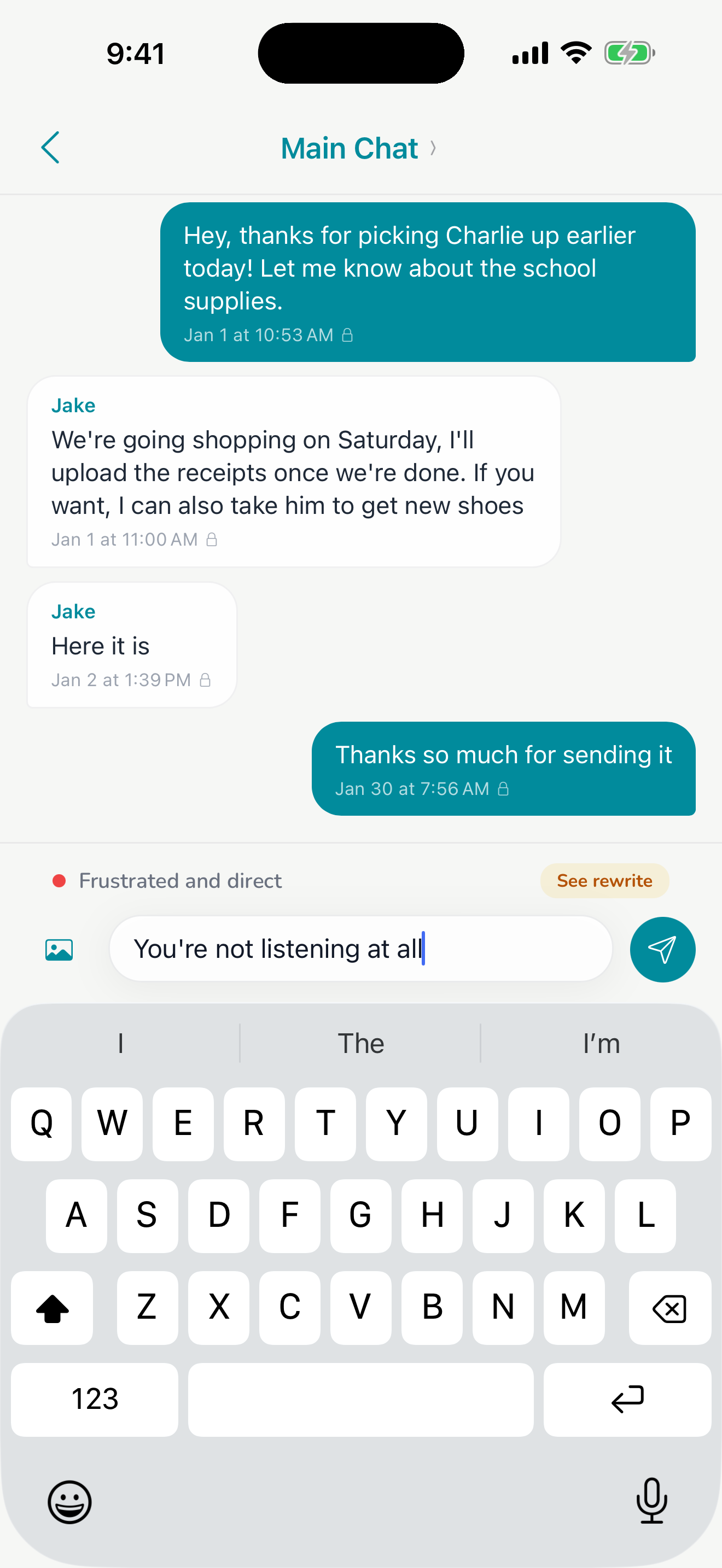
Everyone has written the message they shouldn't send. It's late, they're late again, and you type three paragraphs. In a co-parenting app those messages stick around, and they can show up later.
Temperature Check reads your draft in the context of the conversation and tells you how heated it reads. If it's running hot, it suggests a shorter, calmer version that still says what you need to say.
You're still in charge
Nothing sends on its own. Use the suggestion, edit it, send your original, or delete the whole thing and go for a walk. Most quick logistics messages don't need it. It helps most with the ones you're angry about.
Good to know
Temperature Check is included with Harbor. There's no add-on or higher tier. It's a writing tool, not legal advice or a coach.